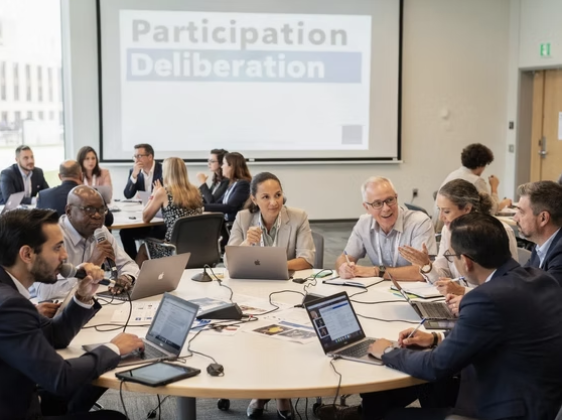
Democracy tech has a deceptively simple promise: give more people a voice, more often. But if the tools are hard to use, require the latest devices, assume high literacy, ignore disability needs, or only work in one language, the result is not “more democracy.” It is a new participation gap.
For JustSocial, this is not a side concern. The manifesto, “The Face of Democracy”, frames continuous direct democracy as civic infrastructure, not a one-off app. Infrastructure has to serve everyone, especially the people who are easiest to exclude by accident.
This article translates that idea into practical design principles for accessible democracy tech, meaning digital participation systems that are usable, understandable, and trustworthy across ability, language, income, age, and connectivity.
Accessibility is legitimacy (not polish)
In commercial software, accessibility is often treated as “nice to have.” In democracy tech, accessibility is part of legitimacy.
If a platform is confusing to first-time users, unusable with screen readers, incompatible with older phones, or inaccessible to citizens with limited connectivity, then participation skews toward the already empowered. That undermines the core goal of citizen empowerment and continuous participation.
This aligns with a central theme in the JustSocial manifesto: modern societies are still running on industrial-era institutions that do not match today’s complexity. If you want a modern “Cosmopolis,” where citizens can continuously influence public decisions, the interface between people and governance has to be designed like critical public infrastructure.
What “accessible” means in democracy tech (broader than disability)
Accessibility includes disability access, but democracy tech needs a wider definition: any barrier that prevents eligible people from understanding, participating, or verifying outcomes.
Common accessibility dimensions in civic participation systems include:
- Visual, auditory, motor, and cognitive accessibility (classic disability categories)
- Language and literacy (including plain-language needs)
- Device and connectivity constraints (older phones, low bandwidth, shared devices)
- Time and attention constraints (shift workers, caregivers)
- Trust and safety constraints (fear of retaliation, coercion, or exposure)
A system can be technically “online” and still be inaccessible in practice.
Design principle 1: Treat standards as the floor (WCAG, not vibes)
For web and mobile experiences, accessibility should start with measurable standards and continuous testing.
The most widely used baseline is the W3C’s Web Content Accessibility Guidelines (WCAG) 2.2. In many public-sector contexts, teams target WCAG 2.1 or 2.2 at AA level.
For democracy tech, standards matter for two reasons:
First, they reduce “silent exclusion” (for example, users who cannot complete eligibility checks because of inaccessible forms).
Second, they create auditability. When JustSocial talks about public trust, transparency, and even “public Git” ideas for governance artifacts in the manifesto, accessibility belongs in that same category: a public, testable claim.
Practical implementation habits that help:
- Build with semantic HTML and correct ARIA usage (avoid “div soup”)
- Ensure full keyboard navigation and visible focus states
- Make error states specific and recoverable (do not rely on color alone)
- Test with screen readers, not only automated scanners
- Publish an accessibility statement and a way to report barriers
Design principle 2: Multi-channel participation is not optional
If participation is continuous, it cannot be “web-only.” People will drop out for mundane reasons: no data plan this week, broken phone, visual impairment, workplace restrictions, or language barriers.
A practical accessibility posture is: digital-first, not digital-only.
For low to medium-stakes civic input, multi-channel often means:
- Web + mobile web that works on older devices
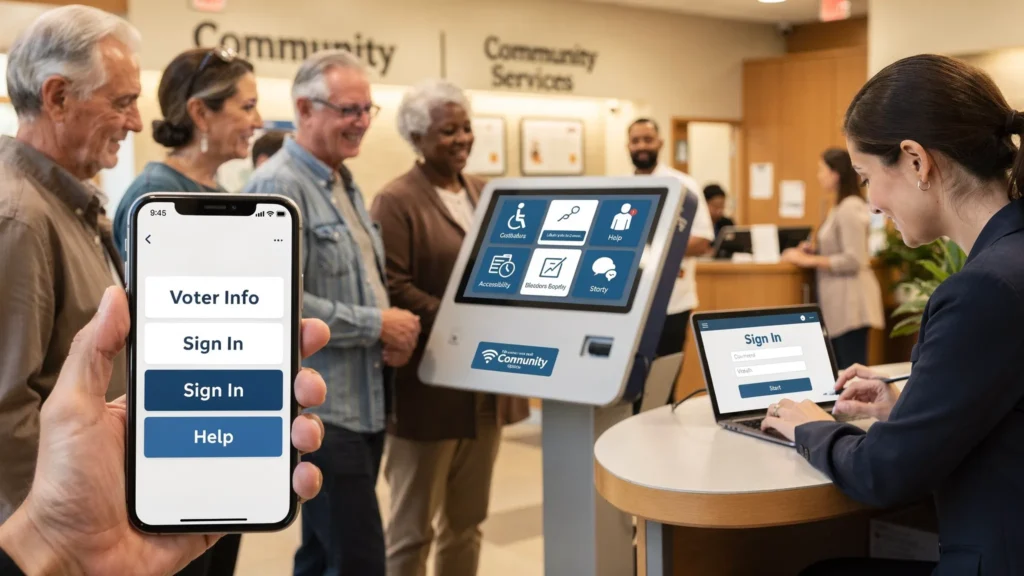
- Assisted digital options (staffed help, community centers)
- Phone-based support for account and eligibility issues
- In-person alternatives for those who need them
For higher-stakes voting contexts, multi-channel becomes a core integrity measure too, because it reduces coercion and improves resilience.
This connects directly to the manifesto’s “public adoption of tech” emphasis: adoption is not just a rollout. It is a design commitment to meet people where they are.
Design principle 3: Plain language beats “civic jargon”
A large share of civic exclusion is comprehension, not connectivity.
Democracy tech frequently fails on “civic UX” basics:
- The question is unclear (what exactly are we deciding?)
- The consequences are unclear (what happens after I vote or submit input?)
- The rules are unclear (who is eligible, what is the decision rule, what is the timeline?)
In JustSocial’s ecosystem, multiple posts emphasize closing the loop between input and action. If you want continuous participation to be meaningful, every workflow should answer, in plain language:
- What is this decision?
- Who can participate and why?
- How will this input be used?
- When will results be published?
- Where can I verify what happened?
Plain language is also an education strategy, which matches the manifesto’s emphasis on educational reform and civic capacity building. Better tools can teach citizens how governance works, but only if the language is understandable.
Design principle 4: Accessibility and security must be co-designed
Civic systems often break accessibility when they add security controls. Examples include:
- CAPTCHAs that block blind users
- Identity checks that assume a passport, credit card, or stable address
- Timeouts that punish users with cognitive or motor impairments
- Forced high-friction flows that collapse on low-bandwidth connections
At the same time, democracy tech cannot ignore security and manipulation risks. JustSocial has written extensively about trust architecture for online voting and participation, including security and privacy evaluation considerations.
The key is proportional design: match assurance levels to the stakes, and offer accessible alternatives.
A useful way to plan is to map threats and barriers together:
| System goal | What can go wrong | Accessibility risk | Better pattern |
| Eligibility and uniqueness | Duplicate or ineligible participation | Excludes people without specific documents | Multiple proofing routes, assisted verification, clear appeal path |
| Account access | Takeover, phishing | Complex passwords, lockouts | Passkeys where possible, accessible recovery, rate limits, user education |
| Ballot secrecy or privacy | Retaliation, coercion | Users in unsafe environments avoid participation | Privacy-preserving UX, revoting options where appropriate, discreet notifications |
| Integrity and auditability | Claims can’t be verified | “Trust us” interfaces exclude non-experts | Publish citizen-readable artifacts plus expert-auditable logs |
If you are evaluating online voting specifically, JustSocial’s related resources can complement this accessibility lens, for example the security, privacy, and trust checklist for voting platforms: Online Voting Platforms: Security, Privacy, Trust Checklist.
Design principle 5: Transparency has to be readable, not just available
Many democracy tools publish “transparency” in ways that only specialists can interpret. PDFs, dense legal language, or raw datasets may meet a disclosure requirement but fail public comprehension.
The manifesto’s “public Git of laws” idea points to a stronger expectation: civic systems should produce public artifacts that citizens can follow and experts can audit.
In practice, that means publishing transparency in layers:
- A one-page citizen summary (what was decided, by whom, with what rule)
- A process record (timeline, eligibility model, moderation rules)
- Verifiable technical artifacts (logs, audit reports, data dictionaries when appropriate)
Accessibility applies here too: summaries should be mobile-friendly, multilingual where relevant, and written at an achievable reading level.
Design principle 6: Design for participation inequality (and don’t pretend it won’t happen)
Even in well-designed systems, participation will not be evenly distributed. People with more time, confidence, and social capital will participate more.
“Accessible” democracy tech therefore includes mechanisms that reduce participation overload and concentration of influence, such as:
- Clear scoping (what decisions are open to participation, and what are not)
- Structured deliberation that does not reward volume over quality
- Guardrails against domination in discussions (transparent moderation, rate limits, reason-giving)
- Delegation patterns for complex topics (when appropriate), with transparency and revocability
JustSocial’s broader vision of continuous direct democracy depends on sustainability. If the experience exhausts ordinary citizens, it becomes a system for activists and insiders only.
Design principle 7: Accessibility needs governance, not only UX
Accessibility is not finished at launch. Policies, moderation, updates, and support workflows can all create barriers.
Examples:
- A moderation policy that is “neutral” but unpredictable can silence vulnerable groups
- Updates that change flows without notice can break assistive technology routines
- Support that only works by email excludes citizens who cannot write long messages or lack consistent access
This is where the manifesto’s institutional thinking is useful: democracy tech is part product, part institution. Accessibility must be operationalized as a permanent responsibility.
A practical governance set for accessibility might include:
- An accessibility owner with release-blocking authority
- Regular testing with disabled users and low-literacy users, not only internal QA
- Public metrics (completion rate by device class, drop-offs in eligibility flows, time to resolve access tickets)
- A published change log for participation rules and major UX changes
A minimum viable accessibility checklist for civic platforms
If you are building, buying, or piloting democracy tools, you can use this as a quick “is it designed for everyone?” gut check.
| Area | Minimum viable requirement | Why it matters for democracy |
| Core UX | Works on mobile, low bandwidth, and older devices | Reduces socioeconomic exclusion |
| Standards | WCAG-aligned components and documented testing | Turns accessibility into a verifiable claim |
| Language | Plain-language prompts, clear consequences, multilingual plan | Improves comprehension and legitimacy |
| Identity and access | Multiple accessible pathways, recovery, and appeals | Prevents silent exclusion of eligible people |
| Transparency | Citizen-readable summaries plus auditable artifacts | Builds trust without requiring blind faith |
| Support | Assisted participation channels and response SLAs | Makes access real, not theoretical |
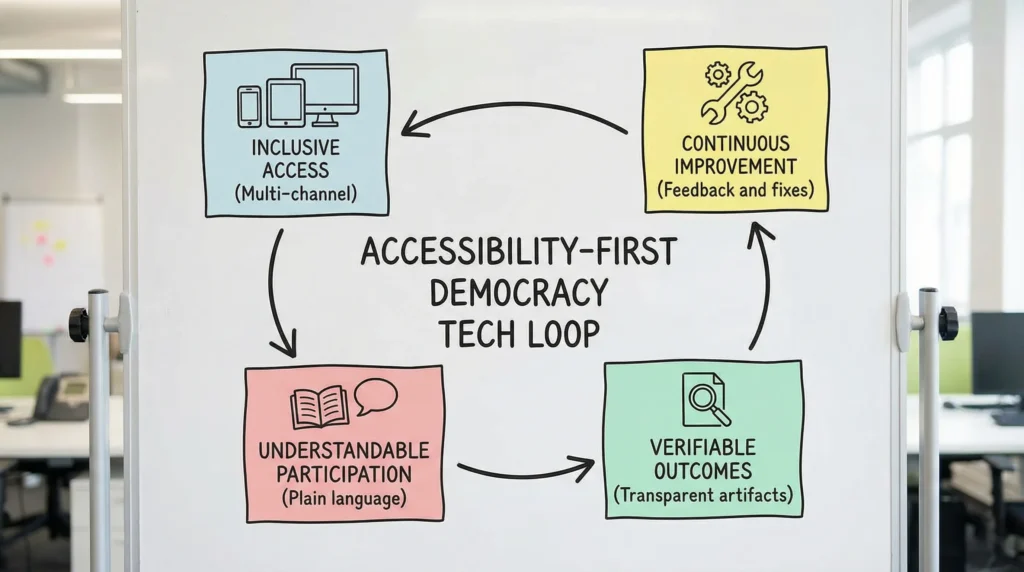
| Continuous improvement | Feedback loop and published fixes | Sustains continuous democracy over time |
If you want to go deeper on platform design beyond accessibility, JustSocial’s guide on meaningful platform capabilities is a strong companion: Citizen Participation Platforms: Features That Matter.
Common failure modes (and how to avoid them)
Accessibility failures in democracy tech are often predictable. A few patterns show up repeatedly.
“We’ll add accessibility later”
In civic systems, late accessibility retrofits are expensive and politically damaging, because the excluded group can credibly say the process was not legitimate.
Fix: treat accessibility like security. Plan it from day one, test continuously, and publish your approach.
“We published a dataset, so we’re transparent”
Raw disclosure without interpretation can function like a barrier.
Fix: publish layered artifacts, including citizen-readable summaries. Treat understandability as part of transparency.
“Our users can just go to the library”
Outsourcing access to a third party creates avoidable friction and stigma.
Fix: build assisted pathways into the program design. Partner with community organizations as first-class distribution, not as a patch.
“Identity checks are neutral”
A single identity route often excludes the same people already underrepresented.
Fix: use proportional assurance and multiple pathways, then measure who drops out and why. JustSocial’s comparison of identity verification options is relevant background: Identity Verification for Voting: Options Compared.
Accessibility is how continuous democracy scales
The JustSocial manifesto argues for a modernized political operating system, including continuous public participation, radical transparency, and institutional redesign. Accessibility is the mechanism that makes those ambitions real outside a narrow, privileged user base.
If continuous direct democracy is the goal, then “design for everyone” is not branding. It is the difference between a platform that amplifies existing power and one that genuinely broadens civic influence.
How to apply this at JustSocial (and how to help)
JustSocial describes itself as a political movement promoting continuous direct democracy through technology-driven tools for participation and transparency. If you want to contribute in a way that matches the manifesto’s direction, accessibility is one of the highest-leverage places to do it.
Practical ways to help include:
- Testing prototypes with accessibility tools (screen readers, keyboard-only navigation) and reporting barriers
- Reviewing participation flows for plain language and comprehension
- Advising on multilingual rollout, community partnerships, and assisted participation models
- Helping define public transparency artifacts that are readable and auditable
To understand the broader institutional vision these design choices serve, start with JustSocial’s manifesto. If you want to engage with the project more directly, explore the site at JustSocial.io and look for ways to join ongoing work and prototype engagement.